1R
1REALTOUR Team
·June 23, 2024·4 min read
Table of Contents
10 Best WordPress Contact Form Plugins for 2024
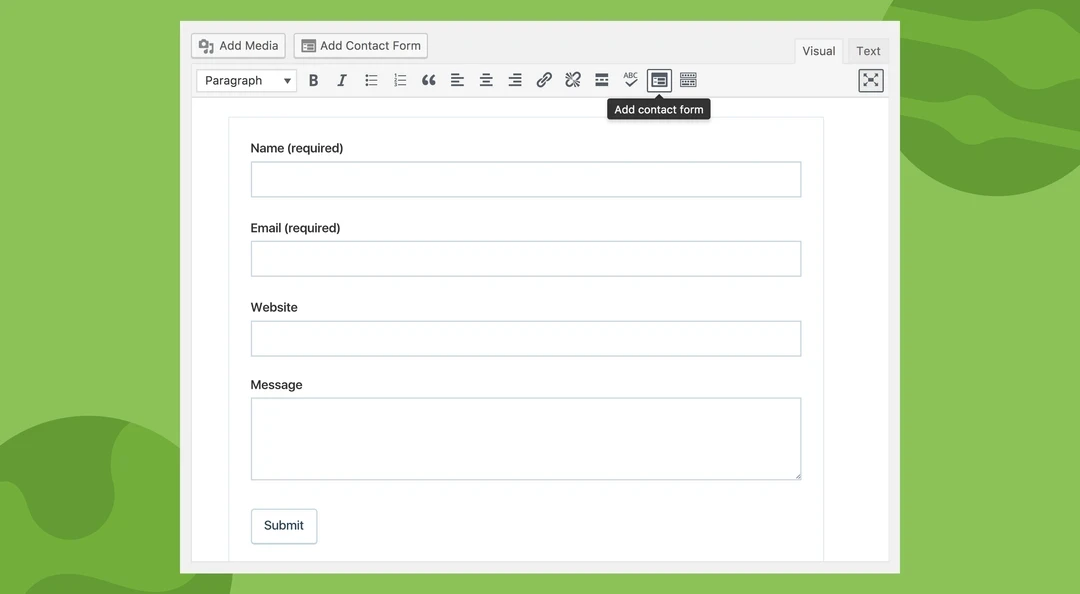
In the digital age, effective communication between websites and their visitors is vital. Contact forms serve as a bridge, enabling seamless interaction and data collection. Selecting the right contact form plugin can significantly enhance user experience and operational efficiency. This guide explores the top 10 contact form plugins for 2024, providing in-depth insights into their features, benefits, and drawbacks, helping you make an informed decision for your website.
Best WordPress Contact Form Plugins
1. WPForms
WPForms is renowned for its user-friendly interface and powerful features. Designed to be beginner-friendly, it comes with a drag-and-drop builder that allows you to create complex forms without any coding knowledge.
Key Features
Drag-and-Drop Builder: Easily create forms with a simple interface.
Pre-built Templates: Save time with customizable form templates.
Responsive Design: Ensures forms look great on all devices.
Smart Conditional Logic: Show or hide fields based on user input.
Payment Integration: Supports PayPal, Stripe, and other payment gateways.
Pros
Intuitive and easy to use.
Extensive library of add-ons.
Strong integration with email marketing services.
Cons
Some advanced features require a premium subscription.
10 best wordpress contact form plugins for 2024 contact form plugins
2. Contact Form 7
Contact Form 7 is one of the most popular free contact form plugins. It offers extensive customization options and integrates well with other plugins.
Key Features
Flexibility: Highly customizable form fields.
Simple Interface: Easy to set up and manage forms.
Spam Protection: Includes reCAPTCHA support.
Multi-language Support: Available in numerous languages.
Pros
Free to use with robust features.
Wide range of customization options.
Cons
Requires some HTML knowledge for advanced customization.
Limited customer support.
3. Ninja Forms
Ninja Forms is a versatile and powerful plugin that caters to both beginners and developers. It offers a range of extensions to enhance its functionality.
Key Features
Drag-and-Drop Form Builder: Create forms without coding.
Customizable Templates: Pre-designed templates for quick setup.
Conditional Logic: Tailor forms to user responses.
Email Notifications: Receive alerts when forms are submitted.
Pros
Free core plugin with extensive add-ons.
Easy integration with CRM and email services.
Cons
Some essential features are only available through paid extensions.
4. Gravity Forms
Gravity Forms is a premium plugin known for its advanced functionality and ease of use. It is ideal for creating complex forms with extensive customization.
Key Features
Advanced Form Building: Create multi-page forms with conditional logic.
Integrations: Supports a wide range of third-party services.
File Uploads: Allow users to upload files through forms.
Responsive Design: Mobile-friendly forms.
Pros
Powerful and versatile.
Excellent customer support.
Cons
No free version.
Can be complex for beginners.
10 best wordpress contact form plugins for 2024 contact form plugins
5. Formidable Forms
Formidable Forms is a feature-rich plugin that focuses on creating advanced forms and data management. It’s suitable for developers and power users.
Key Features
Advanced Calculations: Perform complex calculations within forms.
Drag-and-Drop Builder: Create forms easily.
Views: Display form data on the front-end.
Conditional Logic: Customize form behavior based on user input.
Pros
Highly customizable.
Strong data management capabilities.
Cons
Learning curve for beginners.
Premium pricing for advanced features.
6. Caldera Forms
Caldera Forms offers a powerful and user-friendly form builder with a focus on responsive design and advanced features.
Key Features
Visual Editor: Drag-and-drop form creation.
Responsive Forms: Ensures compatibility with all devices.
Conditional Logic: Customize form fields based on user behavior.
Spam Protection: Includes anti-spam tools.
Pros
Intuitive interface.
Free version with substantial features.
Cons
Some features require a premium upgrade.
Support can be limited.
7. Jetpack Forms
Jetpack Forms, part of the Jetpack suite, offers simple and effective contact form creation. It’s perfect for users already utilizing Jetpack’s other features.
Key Features
Easy Integration: Works seamlessly with other Jetpack features.
Anti-spam: Includes Akismet spam filtering.
Customization: Basic customization options available.
Notifications: Receive form submissions via email.
Pros
Free with Jetpack.
Easy to use and integrate.
Cons
Basic functionality compared to other plugins.
Limited advanced features.
10 best wordpress contact form plugins for 2024 jetpack forms
8. HappyForms
HappyForms is a lightweight and user-friendly plugin designed for creating beautiful forms quickly.
Key Features
Live Form Builder: Create forms in real-time.
Responsive Design: Forms look great on any device.
Multi-column Layout: Organize form fields effectively.
Honeypot Spam Prevention: Protects forms from spam.
Pros
Free and easy to use.
Good for beginners.
Cons
Limited advanced features.
Premium version needed for more options.
9. Forminator
Overview
Forminator is a free, feature-packed plugin by WPMU DEV, suitable for creating engaging forms, quizzes, and polls.
Key Features
Drag-and-Drop Interface: Build forms easily.
Interactive Forms: Create quizzes and polls.
Payment Integration: Supports Stripe and PayPal.
Custom Form Fields: Extensive range of field options.
Pros
Free with many features.
Versatile and easy to use.
Cons
Some integrations require a WPMU DEV membership.
Learning curve for advanced features.
10. WP Fluent Forms
WP Fluent Forms is a fast and lightweight plugin with a focus on speed and efficiency. It provides a smooth user experience with a modern interface.
Key Features
Drag-and-Drop Builder: User-friendly form creation.
Conditional Logic: Smart form behavior.
Multi-step Forms: Create complex forms with multiple steps.
Spam Protection: Includes reCAPTCHA and Akismet integration.
Pros
Fast and efficient.
Free version with substantial features.
Cons
Premium version required for advanced features.
Limited third-party integrations.
Read More 5 Best WordPress Backup Plugins
More Insights
Black and white still life of a solid stack of thin layers beside the same layers suspended apart on fine threads.
Headless CMS vs WordPress: How to Choose
Web Design • Web Technologies
Read Article
Mobile conversion rate optimization
Mobile Conversion Rate Optimization: How to Improve Mobile Conversions
Web Design
Read Article
Website optimization for Google AI Mode with analytics and security.
How to Optimize Websites for Google AI Mode
Web Design
Read Article